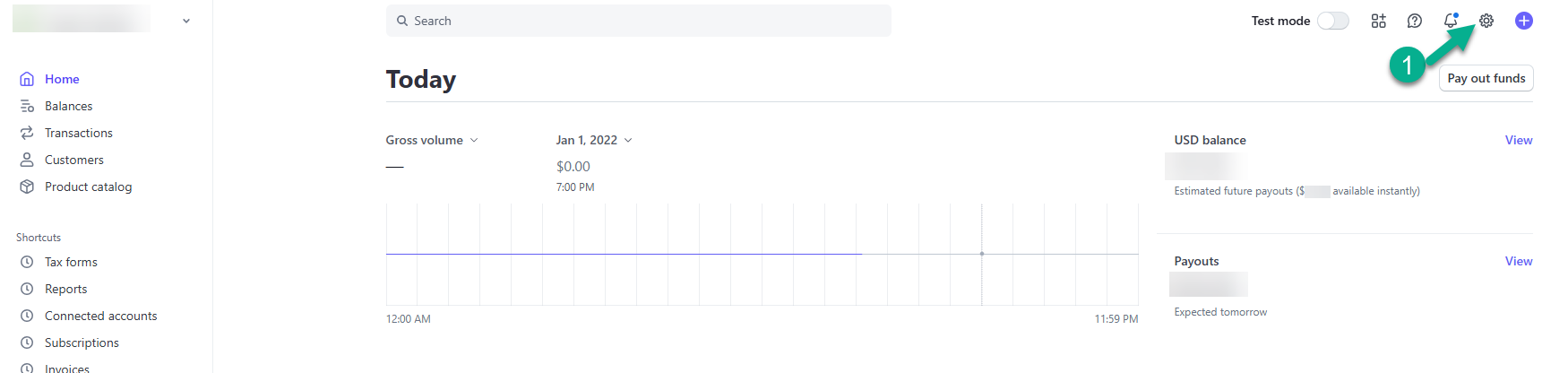
To set up Autopay in Stripe, log into your Stripe account
Click “Settings” (A small cog in the upper right corner)
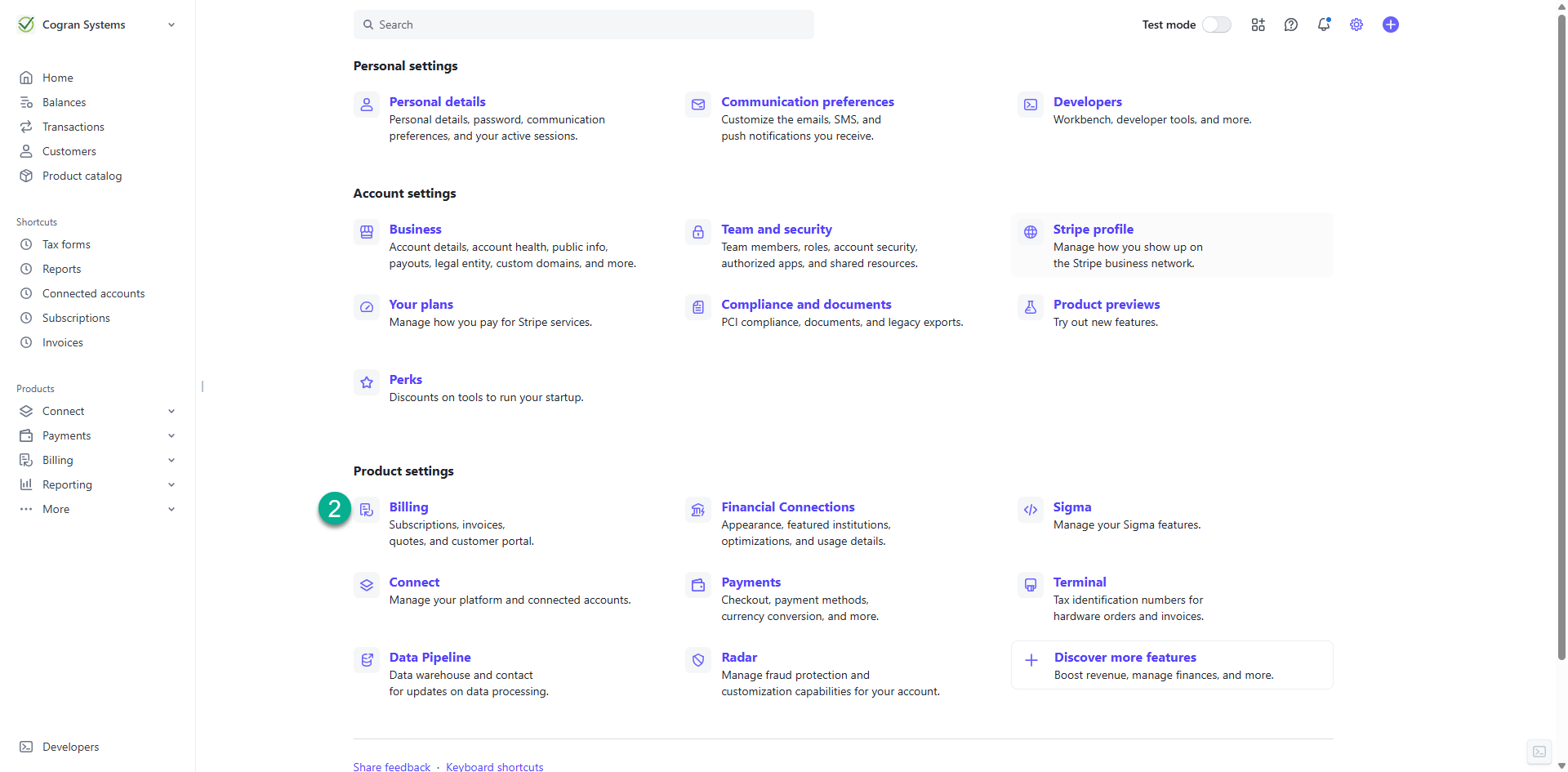
Click “Billing” in the “Product settings” category
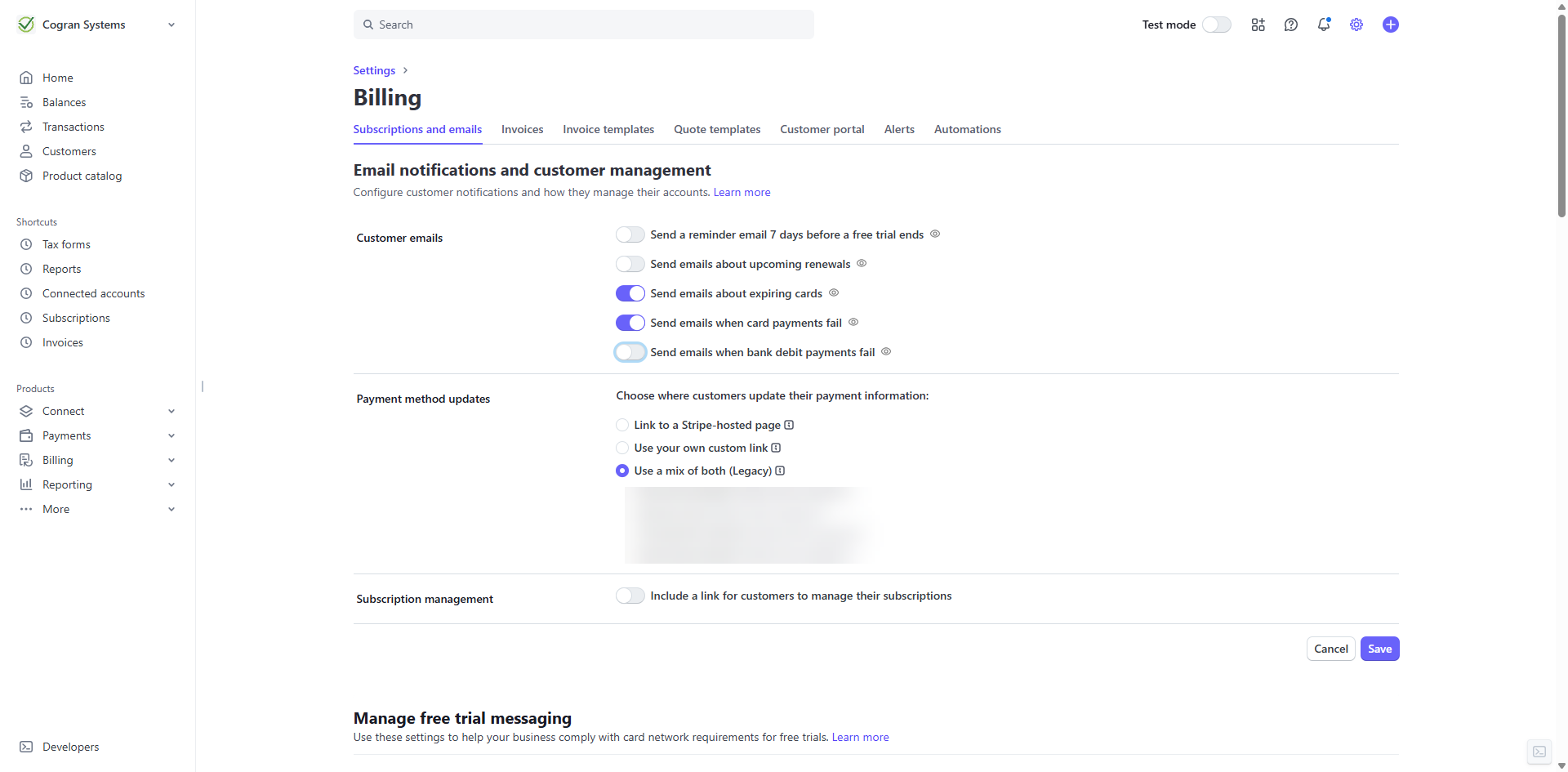
On the first tab, Subscriptions and emails, select:
Customer Emails:
- Send emails about expiring cards
- Send emails when card payments fail
Do NOT select: include a link for customer to manage their subscriptions
Do NOT select any options for “Manage free trial messaging”
Do NOT select prevent failed payments
Manage Failed Payments for Subscriptions:
Do NOT select any options for Card payments
Do NOT select any options for Bank debit payments–ACH is not an option
Subscription Status: if all retries for a payment fail, choose “leave the subscription past-due.”
Manage disputed payments:
Subscription status: If a dispute is opened, choose “leave the subscription past-due.”
Save your changes!