Partial Refunds
To process a partial refund, visit the Front Page.
Log in as admin.
Click into the Admin Center>Select Refund a Line Item or Refund in Full.
Search for a customer (Adults prime contact only. If your customer does not appear, consider validating that the name is for the Adult prime contact).
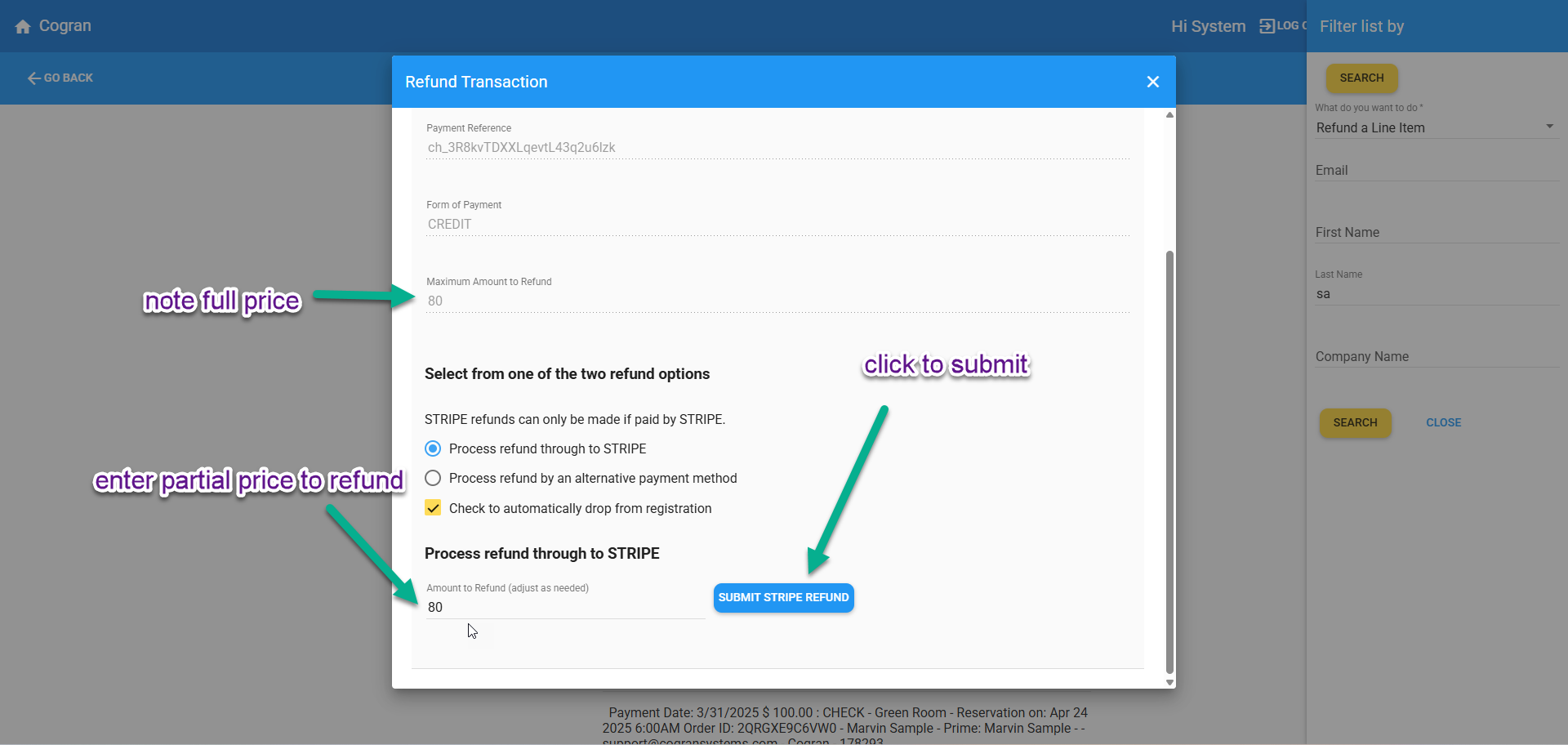
The refund form appears.
Note the Maximum Amount to Refund.
Choose your refund method (Process to Stripe or Process refund by an alternate payment method).
In the field labeled, “Amount to Refund” enter the desired amount to refund.
Click Submit Stripe Refund to process.
Done!