Stripe Support
Accessing Stripe Support requires a few steps.
- Log into the Stripe account at stripe.com
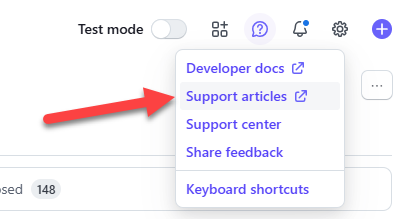
- In the upper right hand corner, click on the “help icon.”

3. Choose “Support Articles.”
4. In the left menu, click “Contact Support.” A chat interface loads.
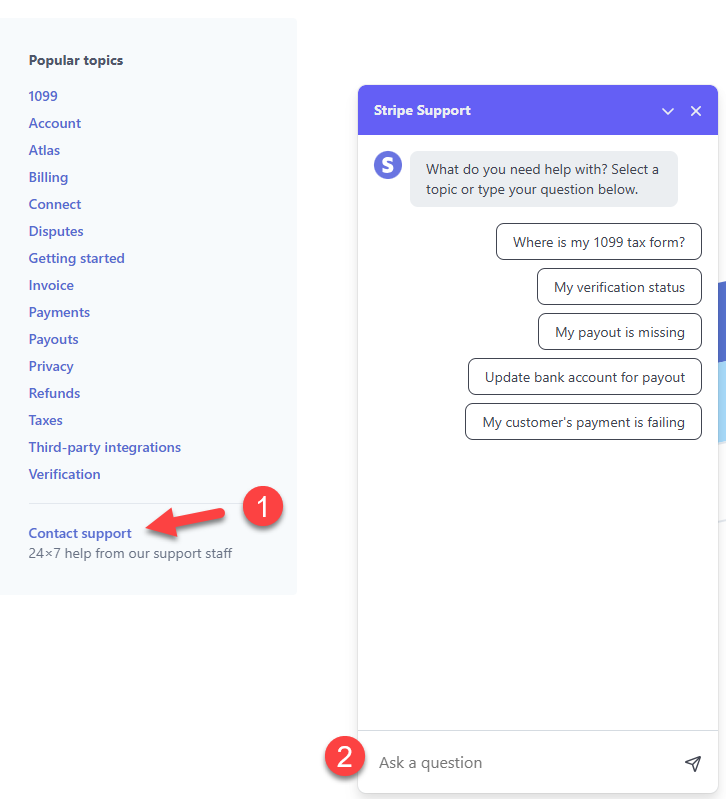
Chat with Stripe! Be sure to supply the EMAIL AND CONTACT info of the individual who set up the Stripe account. For security reasons, Stripe will not be able to help you without that precise information. If Stripe requests additional information, be sure that it matches the information you have previously entered into your Stripe account.