Team Capacity
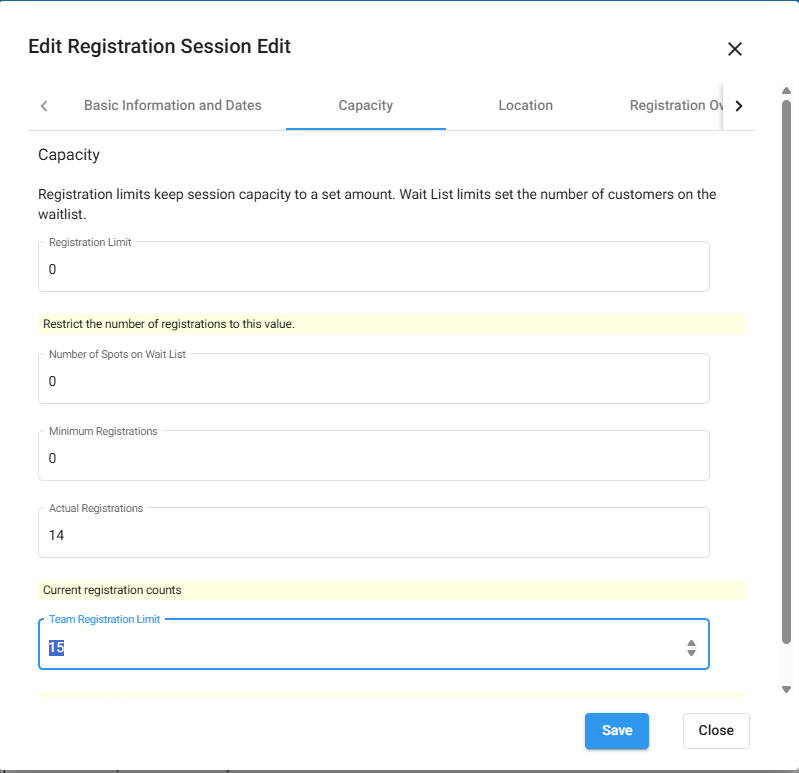
All registration limits are set on the session. To limit team registrations, follow these steps:
- Log into the Back Office
- Open Registration Setup
- Registration Session Edit
- Search for the session, or create new
- If creating a new session, fill out the relevant fields
- If updating a session, select the session to edit
- Visit Tab 2: Capacity
- Scroll to “Team Registration Limit.”
- Enter the number of teams that will be allowed
TIP: To update the number of allowed teams, change the number in the field. This will allow additional teams to register.