Change an Email on a Security Role
Change an email on a security role for a customer by following these steps:
Log into the back office.
- Sign in as Administrator
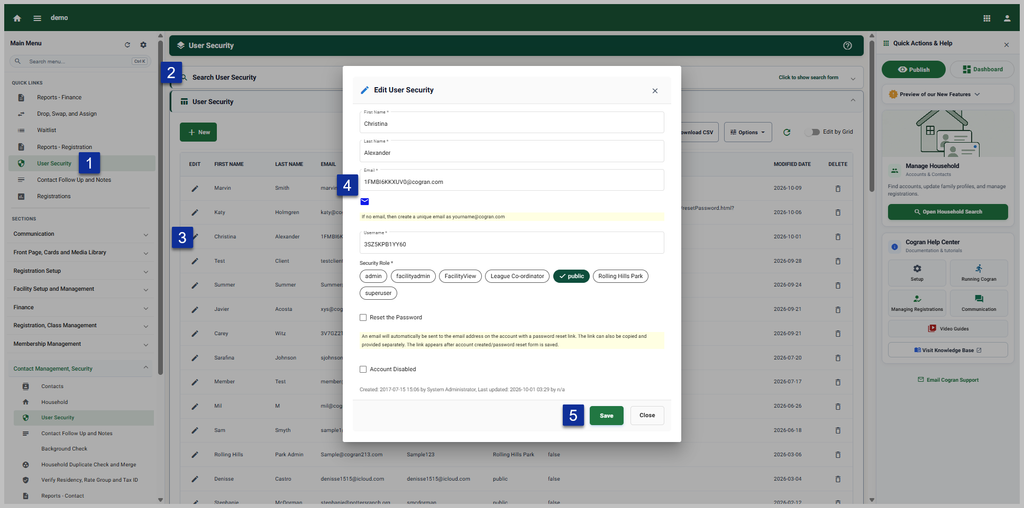
- Navigate to Quicklinks or Contact Management > User Security
- At the search form, enter the username or email address and press Search.
- Select the contact by clicking the pencil icon
- In the field marked “email” change the email address on the account
- Save
Note: The old email will still appear on the household account, but the new email will be used for login.
Please click here to learn about updating the household account.
Updated 10/9/2026