How to Set a Payment Due
In Cogran you can set a payment detail due.
How to Set a Payment Due
This scenario may occur when the incorrect payment method was selected at time of order.
Log into the Back Office
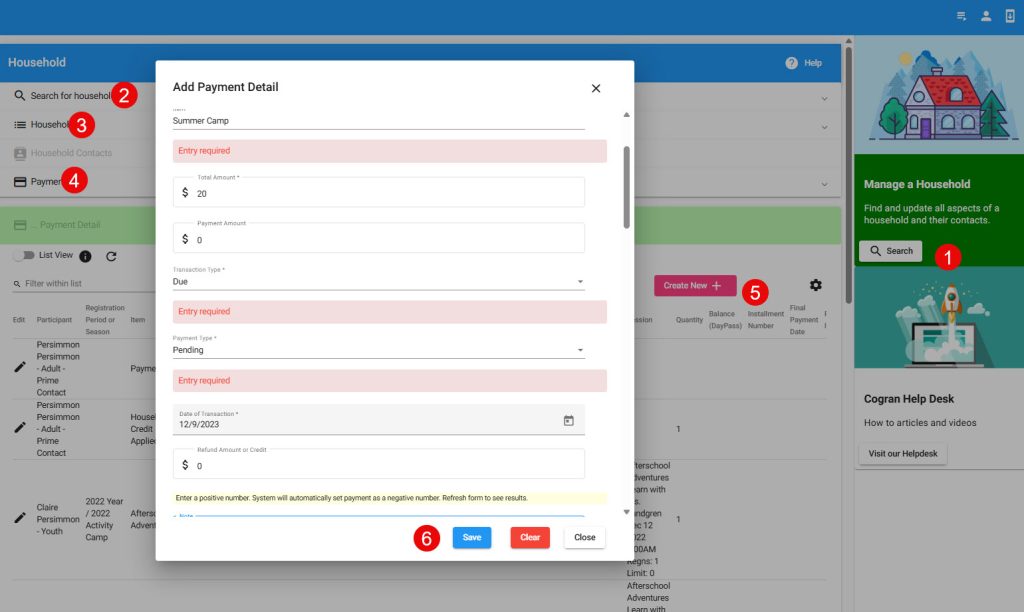
- Navigate to Household Search and find your contact
- Go To Payments
- Find your order then Go To Payment Detail – A list of payment transactions will display
- Select the button: Create New
- Update the following fields:
- Registration Period: Select the correct Registration Period
- Item: Select the NEW Program that the customer has changed to (in case of a swap) or the existing program that has additional costs
- Total Amount: Enter the amount to be paid
- Transaction Type: Due
- Payment Type: Pending
- Payment Amount: leave blank
- Payment Note: Enter a note that describes the reason for the transaction – to help in auditing
- Installment Number: 1 — this is essential to display the transaction as a payment due
- Save
Updated 12/23
Instructions to customer:
- Log into the Front Page
- Click on the household account menu
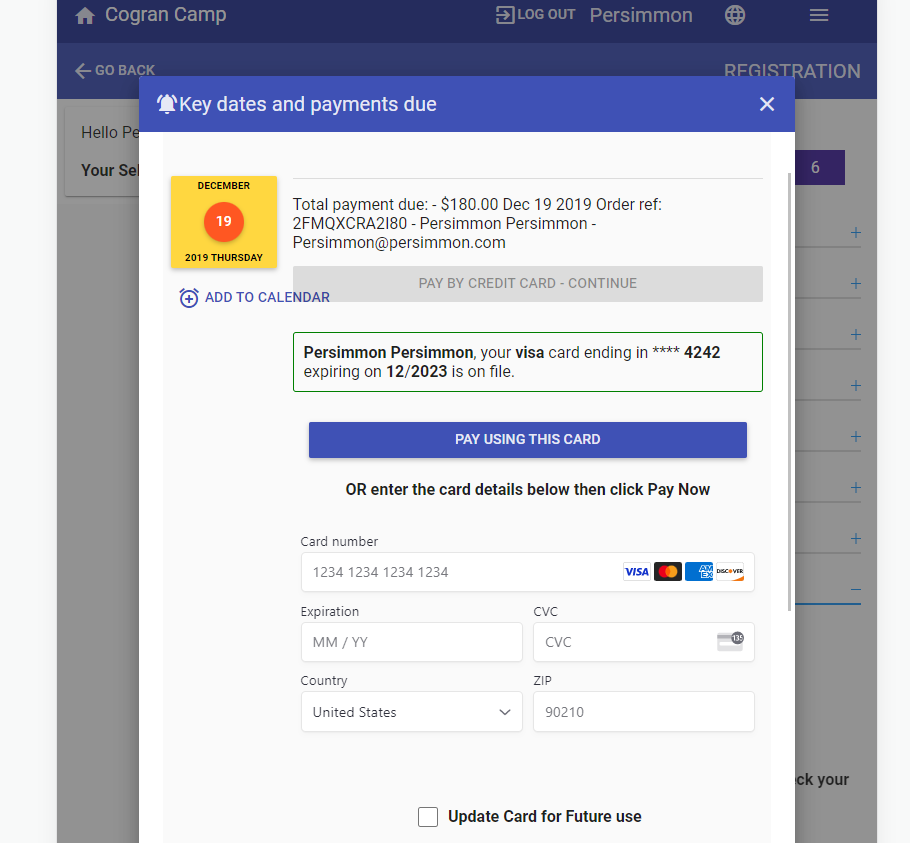
- Select payments due
- The due payment will appear. Enter a card number or use a card on file to complete the payment