Lookups on the registration forms can updated by following these instructions:
Backoffice:
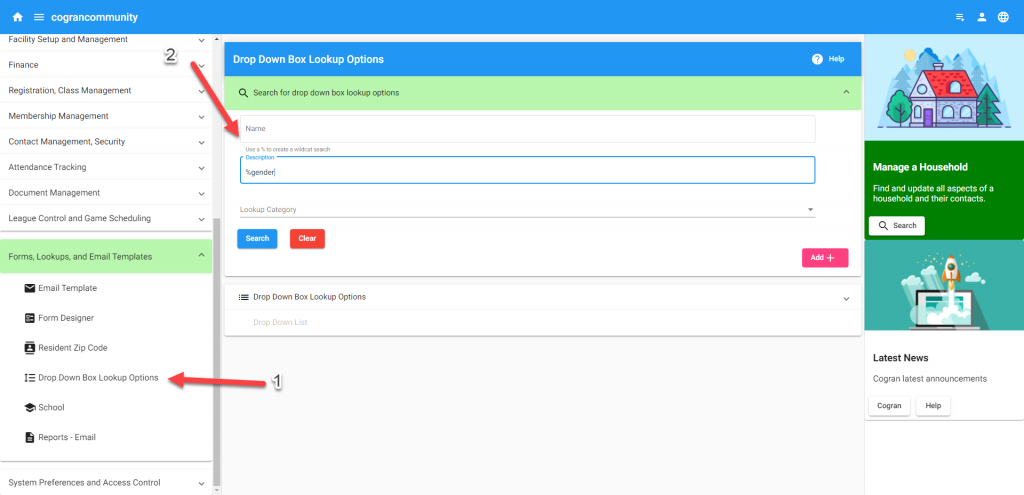
- Forms, Emails, and Lookup Templates
- Dropdown Box Options
- Search in the field labeled NAME or DESCRIPTION, and use a wildcard % if you don’t find what you’re seeking.
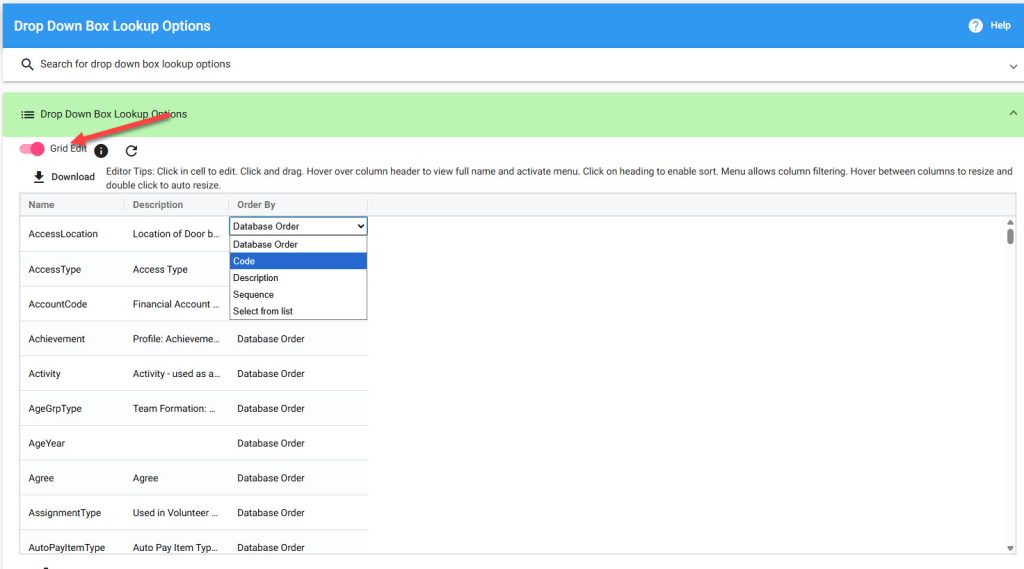
The list of options loads. At this point, it is possible to control the way that the list displays. There are four options:
- Database Order–the order in which items are entered into the list
- Code–Alphabetical by unique list code
- Description–Alphabetical by list item description (name)
- Sequence–Sequentially by the sequence number entered at each list item
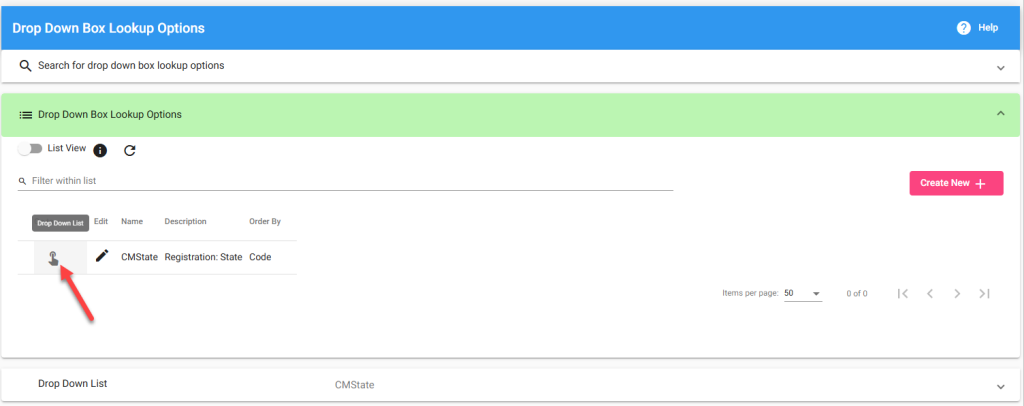
In list view, click the Go-To Menu to check the list items.
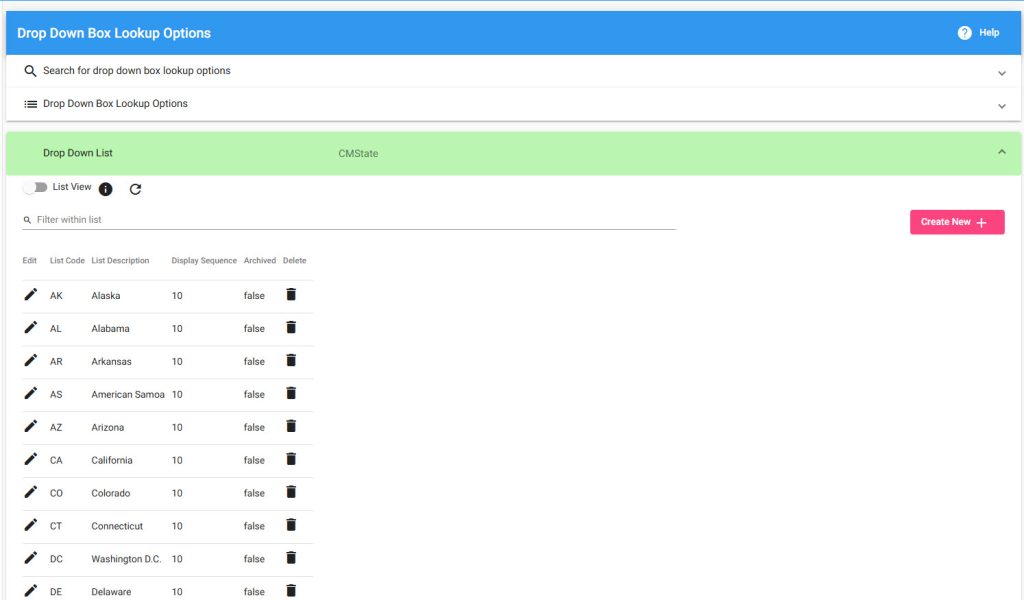
The list will load.
- Click “create new” to add another list item.
- Click “delete” to remove a list item
- Click “edit” to update a list item
- For bulk editing, swap to Grid View.
After clicking add new or edit, a modal loads. This includes four fields:
- List Description: This is the content that will appear to the customer.
- Display Sequence: Use this to numerically order the list content. Note that for this to function, sequence must be selected in “order by.”
- Archive: To temporarily hide this list item, check “archive”
- Save
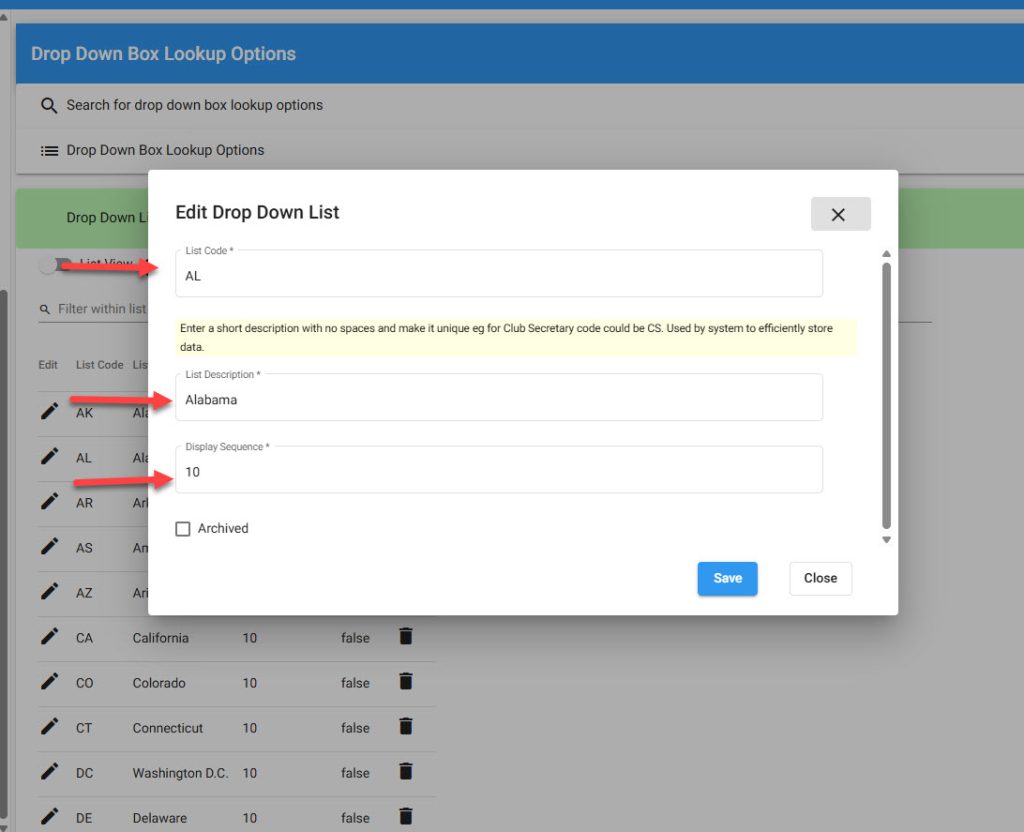
Important: Do not change existing list codes when adding new list items. Doing so may change the way the dropdown works.
Important: Each list code must be unique, or the list will not work.
Lookups that appear on the registration form:
| USE | USAGE | NAME | DESCRIPTION |
| Gender | Update gender content to reflect your organization’s options | mysGender | Gender |
| Grade | Change grades to reflect your local grades. These grades are selected by customers during registration. | mysGrade | Registration: Grade |
| Nationality | Collect nationality/ethnicity information about registrants | Nationality | Contact: Nationality |
| Shirt Size | Add or update the sizes that are offered | ShirtSize | Registration: Shirt Size |
| Short Size | Add or update the sizes that are offered | ShortSize | Registration: Short Size |
| Shoe Size | Add or update the sizes that are offered | ShoeSize | Registration: Shoe Size |
| States | Reduce or curate states | CMState | Registration: State |
| Provinces | Reduce or curate provinces | Province | Canadian Provinces |
| I Agree | Only “I agree” appears | Agree | Agree |
| Custom 1-15 | Add custom dropdown content; recommended to use in collelating Custom field | Custom01 (etc) | Registration: Custom 1 (etc) |
| Yes/No | Change a question from acheckbox to yes/no dropdowns OR change any other field to a dropdown with a yes/no selection | YesNo | Question checkbox reponse of Yes/No |
Updated 2.12.24